Questions and Answers!
Q:How many photos do I get?
A: You will receive 10 sneaky sneaks within the first week. Shortly after, you will receive the rest of your edited photos. This ranges from 25-100+ depending on what type of shoot you book. You will also get a folder of raw photos! You will get an email for both folders once they are ready for viewing!
Q: How do we pay you?
A: I have venmo! @a91panda. I accept cash and check as well.
Q:Where do we take the photos?
A: Wherever you want! Your backyard, a state park, the zoo. It doesn't matter to me as long as you have fun!
Q:How do we get our photos?
A: I will email you with a link and a passcode. You will need your email address and that passcode to download your photos.
Q:How many people can we have in our group?
A: As many as you would like! There is only an upcharge if we are doing more then one shoot in a time slot!
Q: Should i come early?
A: Please be at least 15 minutes early for the appointment. This way we can discuss wants and ideas in person, to make sure we are on the same page.
Q:DO YOU OFFER BUNDLE PACKS?
A: Not necessarily, but ask me about doing more then one type of shoot during your time frame and we will come up with something!
Q:What should we wear? What should we bring?
A: Clothing will depend on what type of shoot we are doing and where we are going to take the photos. As long as everyone is matchingish, wear whatever you'd like! These are yours and people will see them, so you dress how you want. I do have some props, so please email me if you need me to bring something or if you're going to bring something.
Time to Download Your Photos
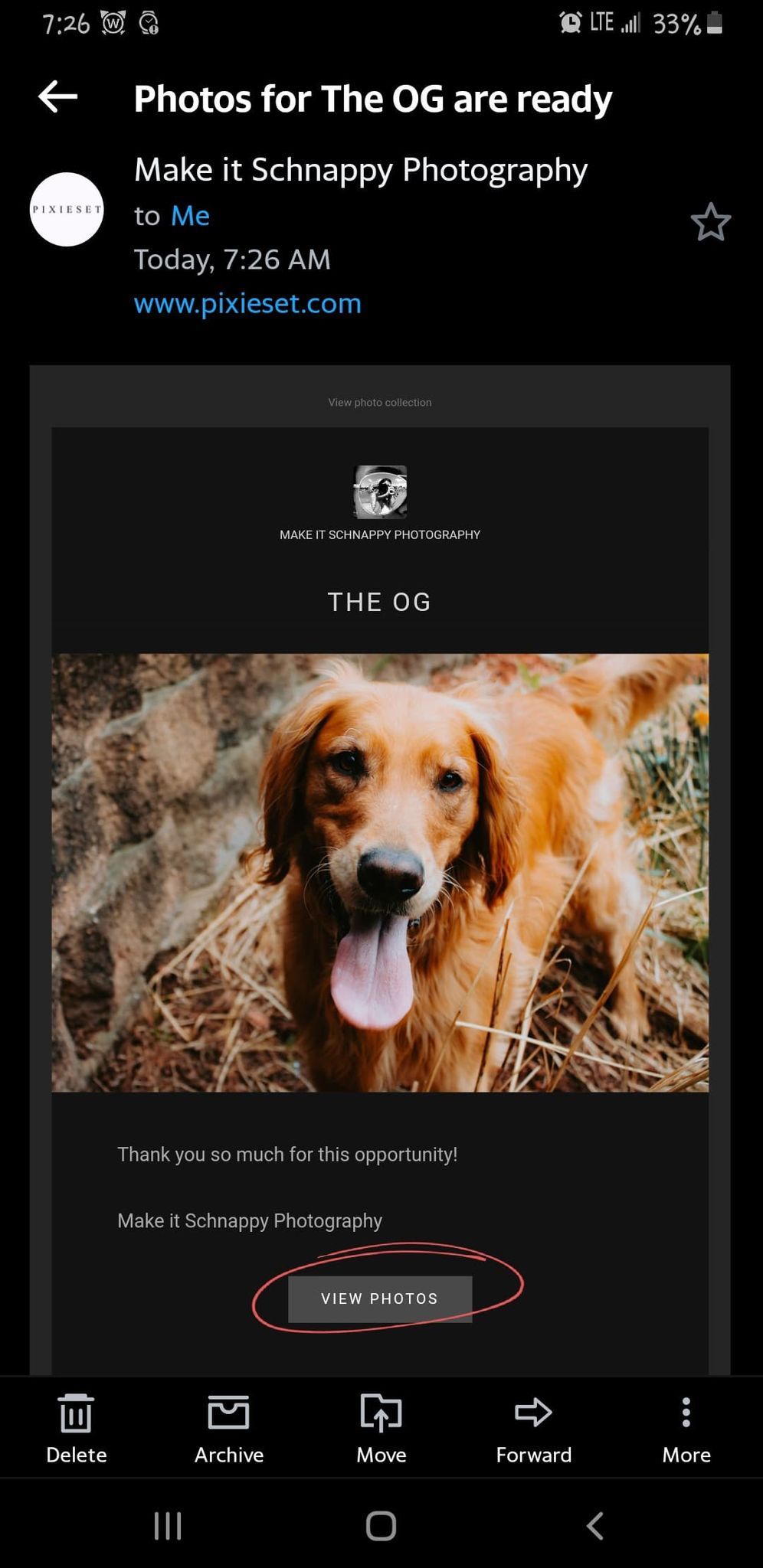
1.You will receive an email that looks similar to this.
Click on "view photos;" this will take your album on the website. There is a 4 digit code included in this email. You will need this to download your photos.
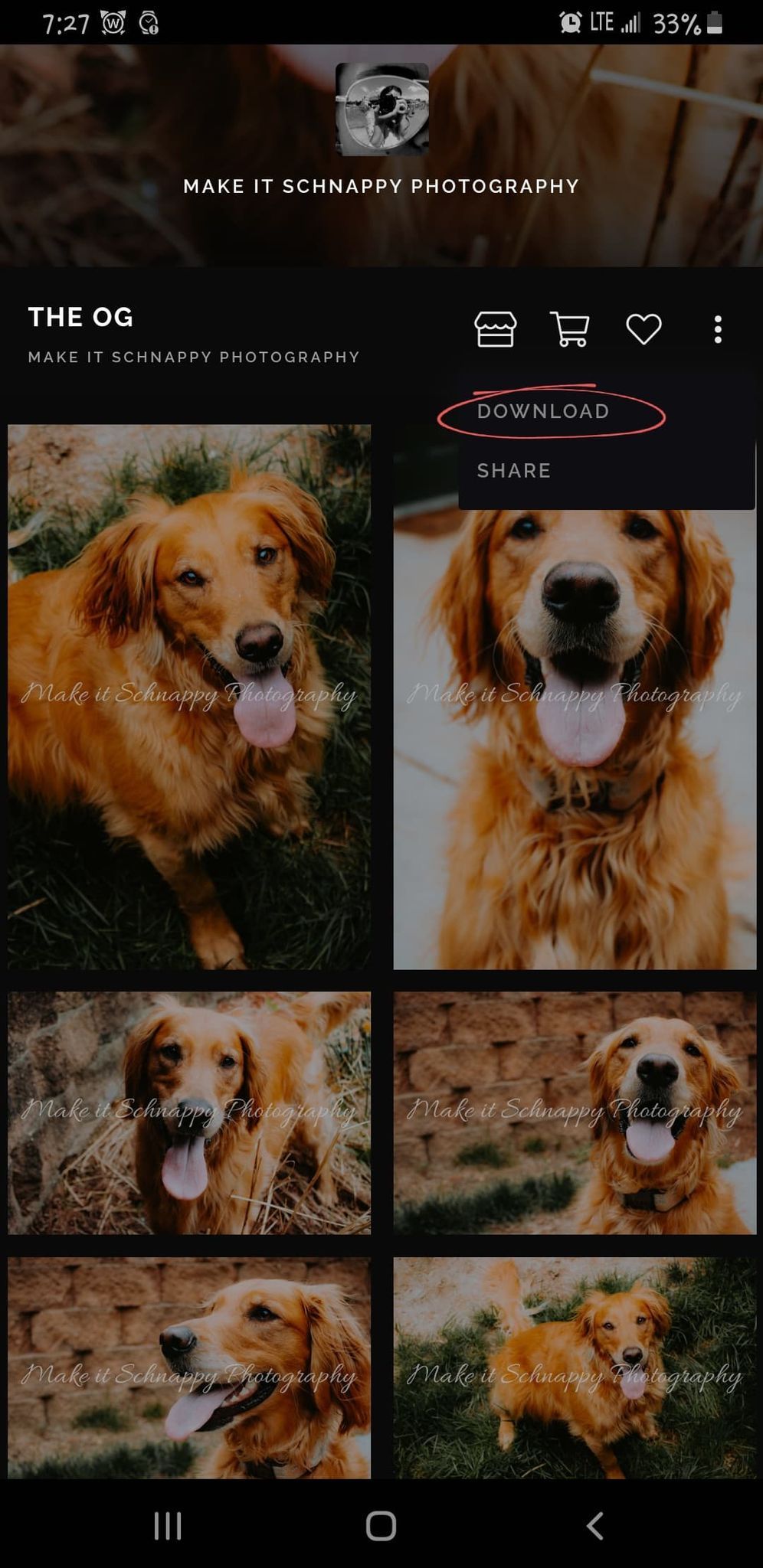
2.Once you have been redirected to your album, you will look for the download button after clicking on the three dots next to the like button.
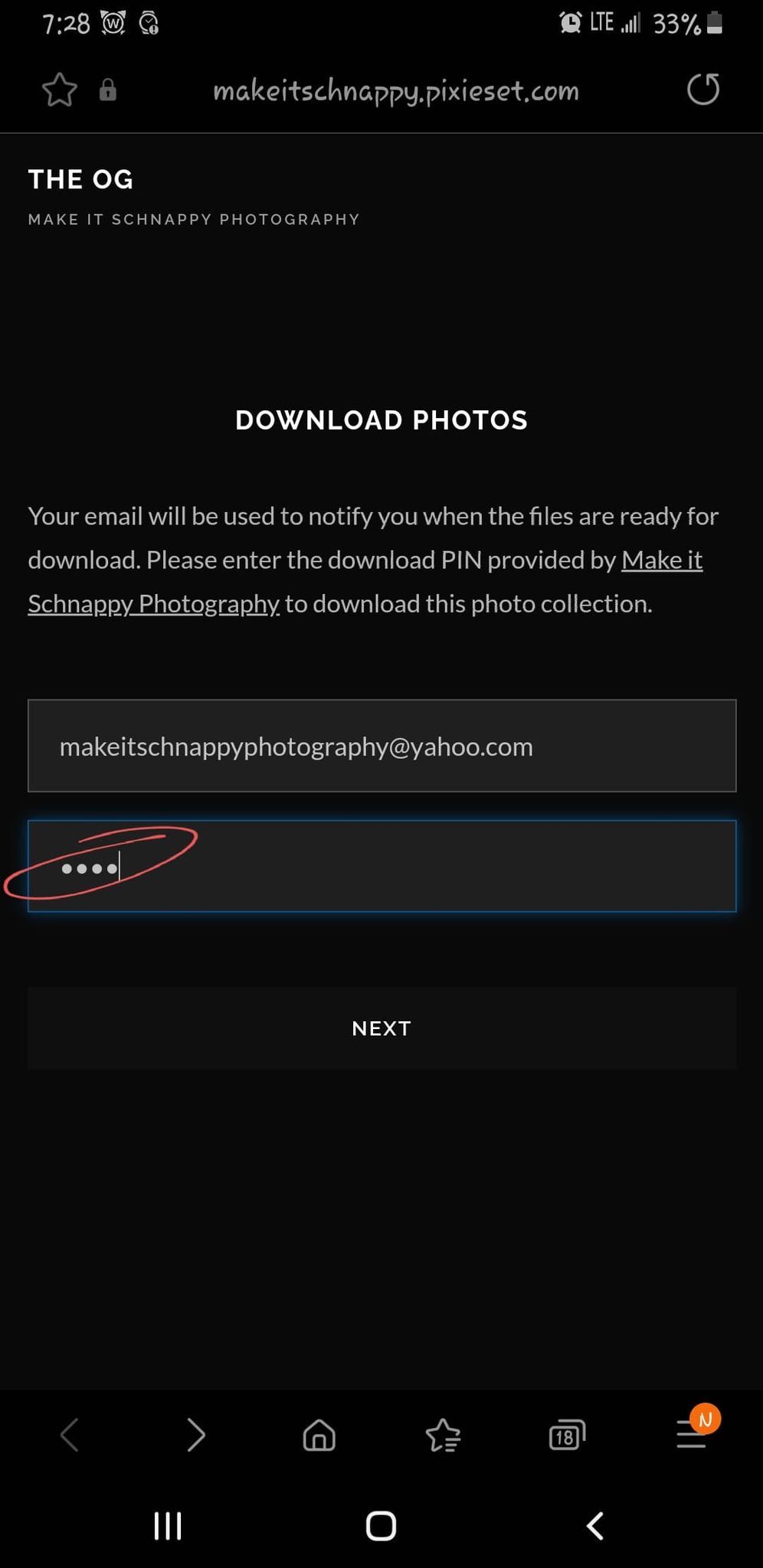
3.You will need to enter your email and the 4 digit code that was included.
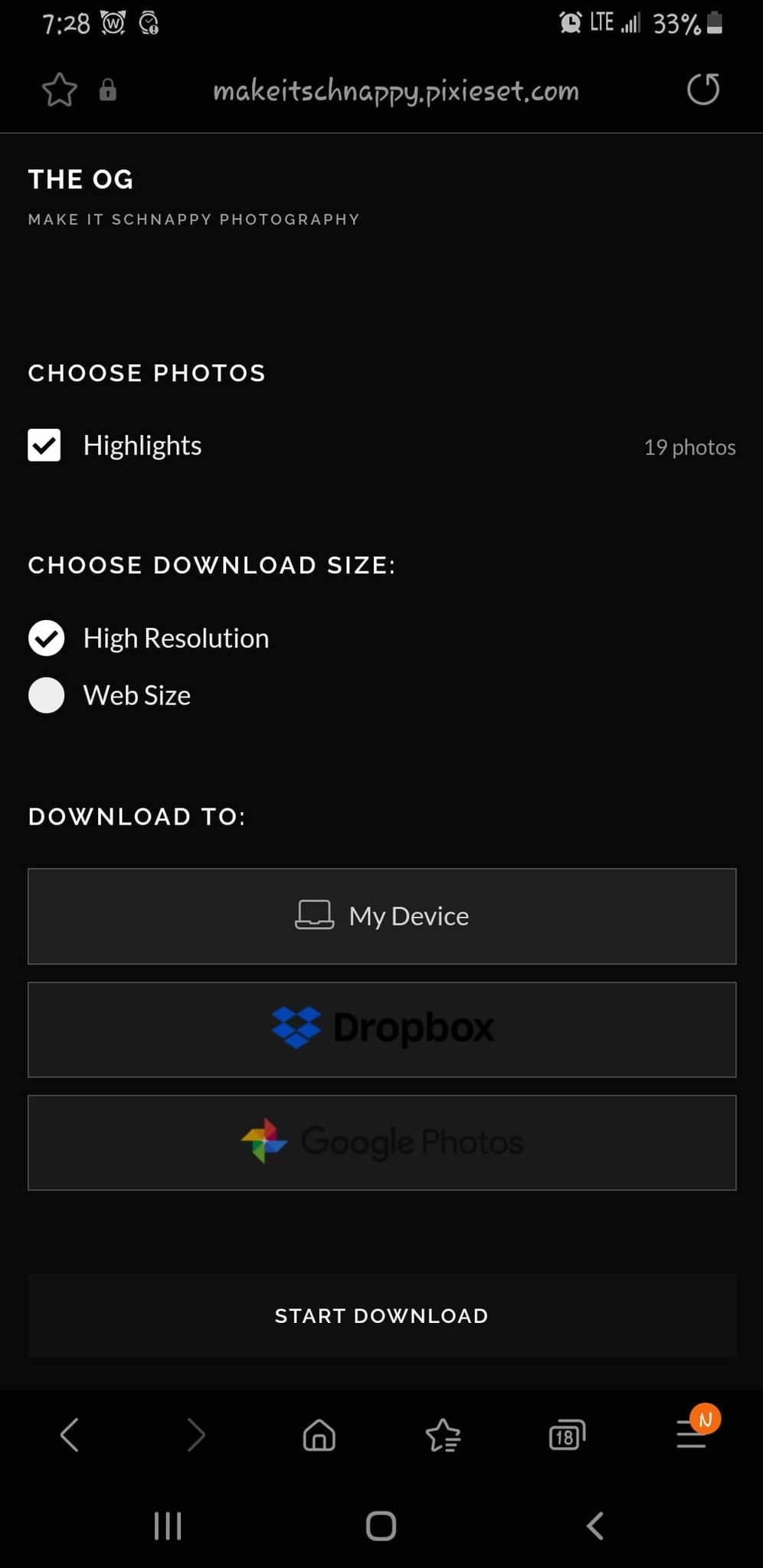
4.Choose how you would like to download your photos (keep in mind, as long as you have the code and your email address, you can download your photos as many times as you want. You may also share this information if you'd like family or friends to have access to download).
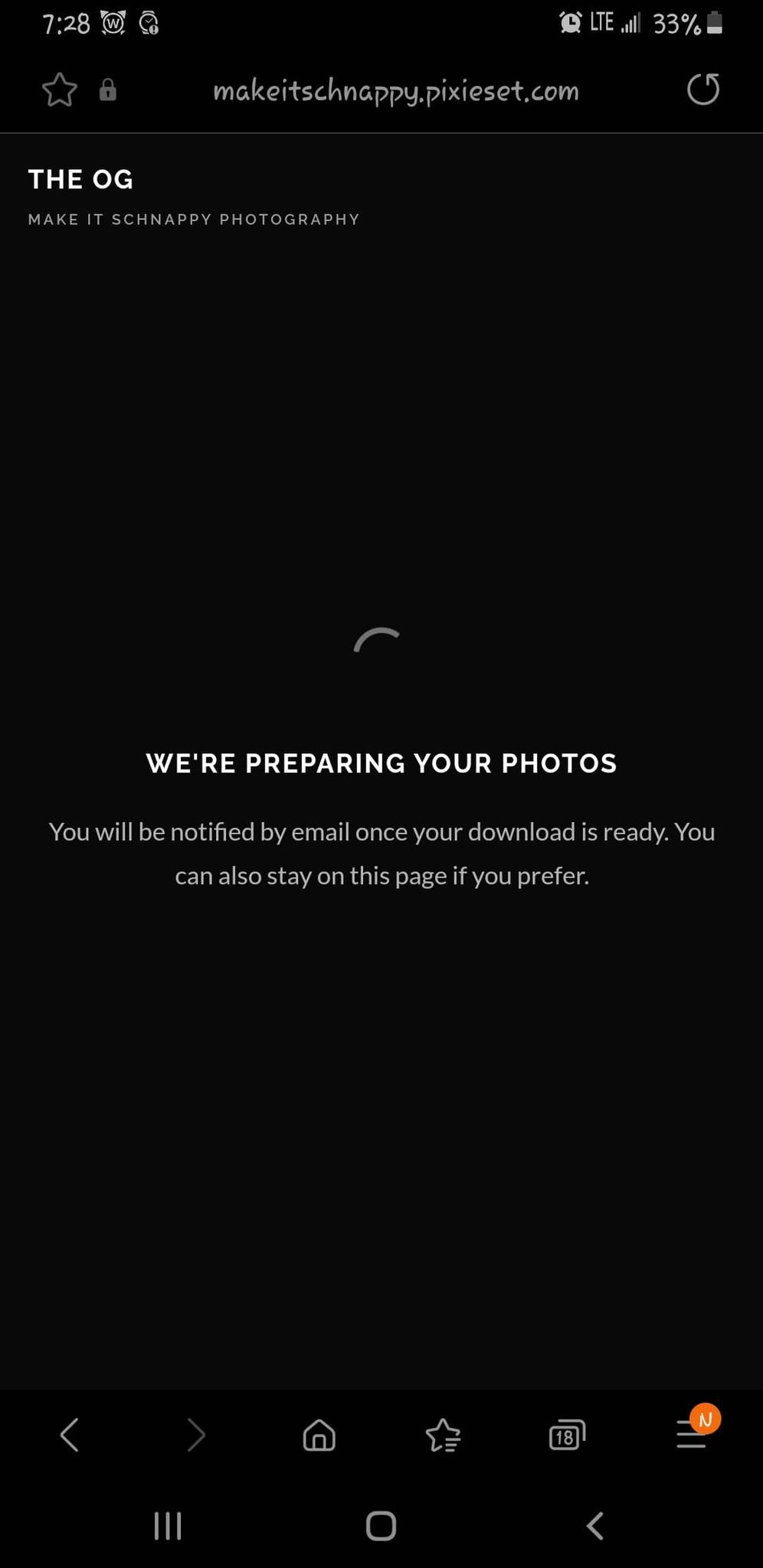
5.Next you will get a notification that your photos are downloading.
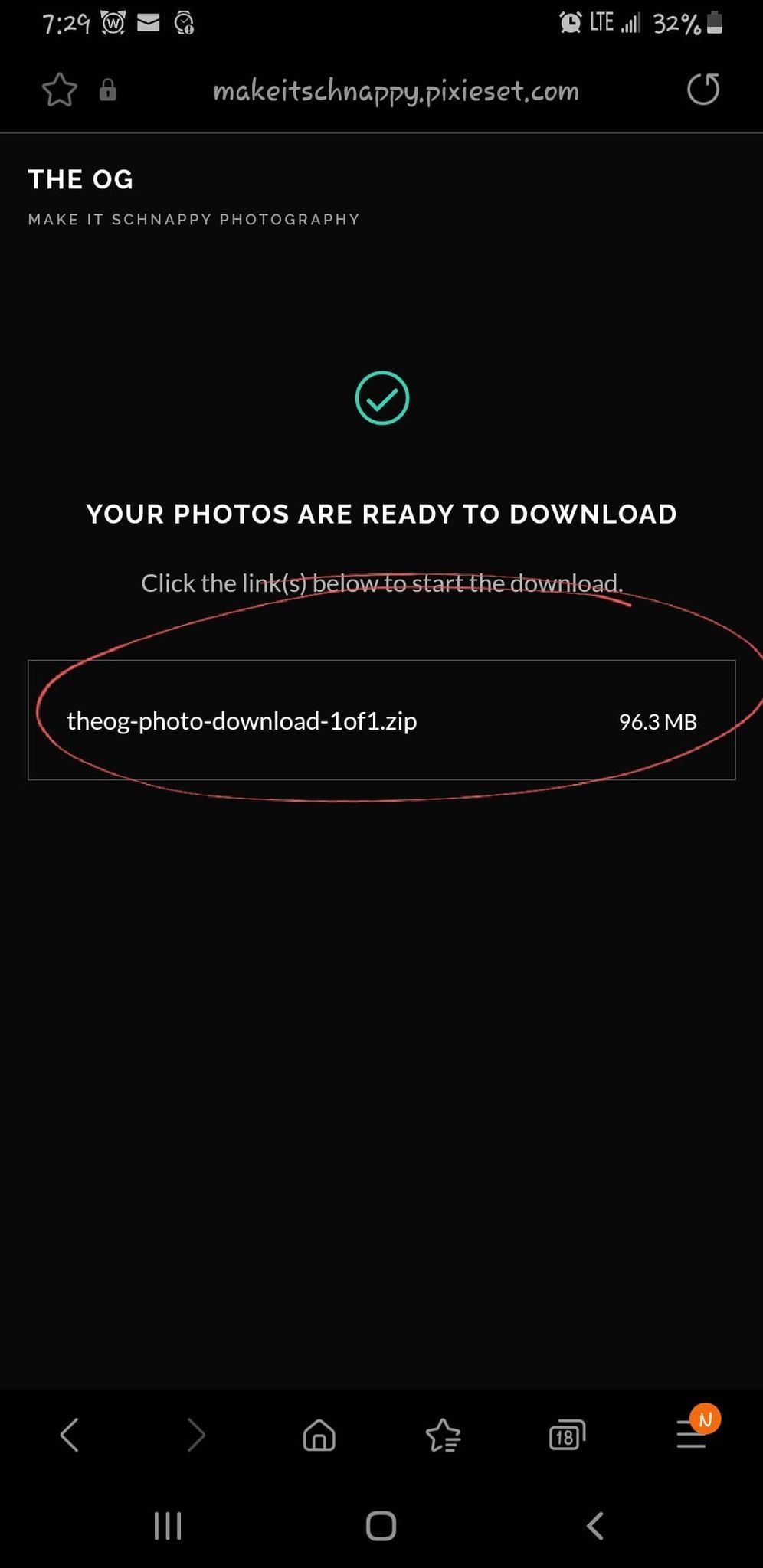
6.After that, you will get a pop-up once the photos are ready to be downloaded/unzipped. Click on this box and it will prompt you with the next task.
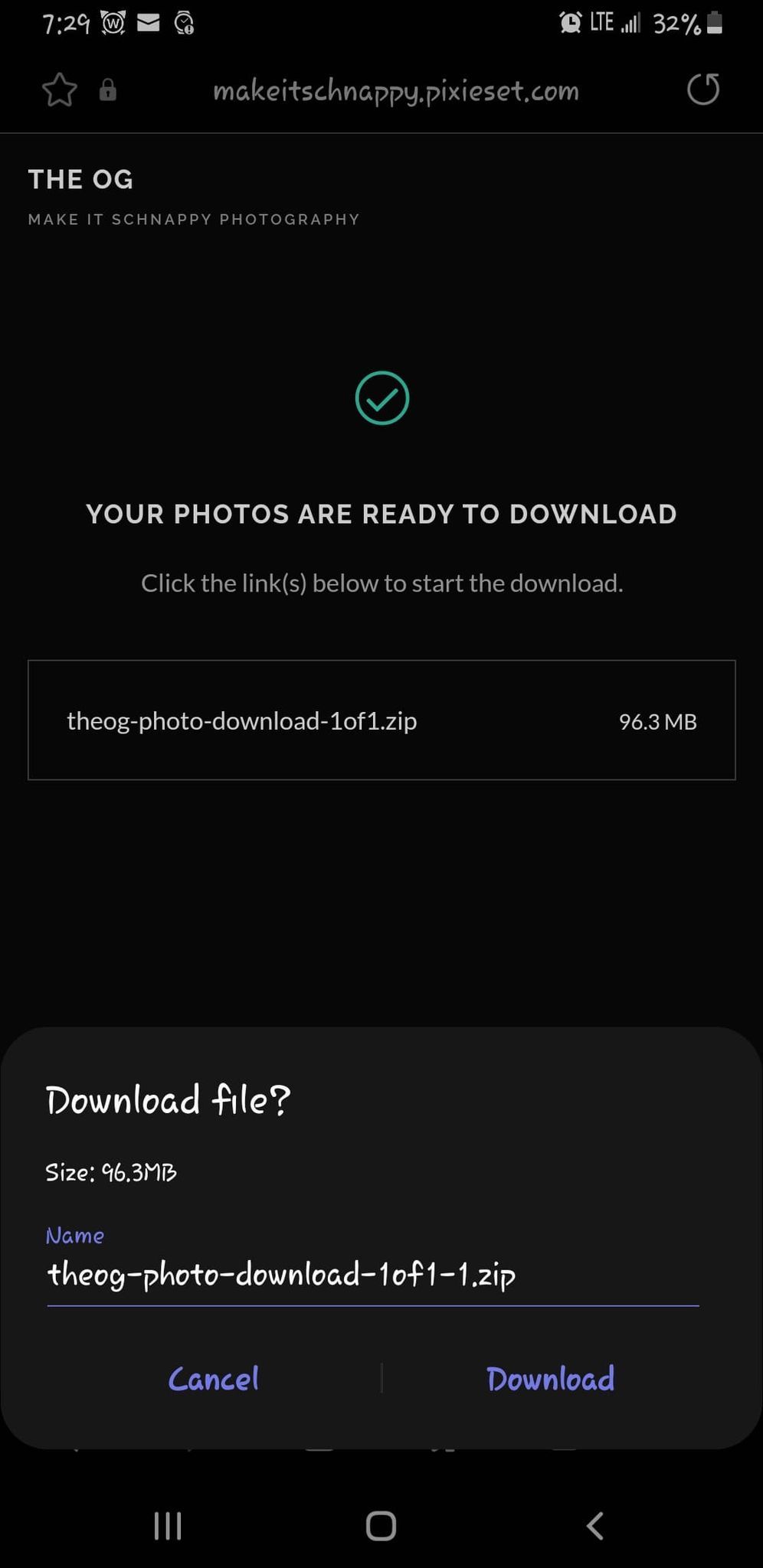
7.Remane folder if you would like to and then click download.
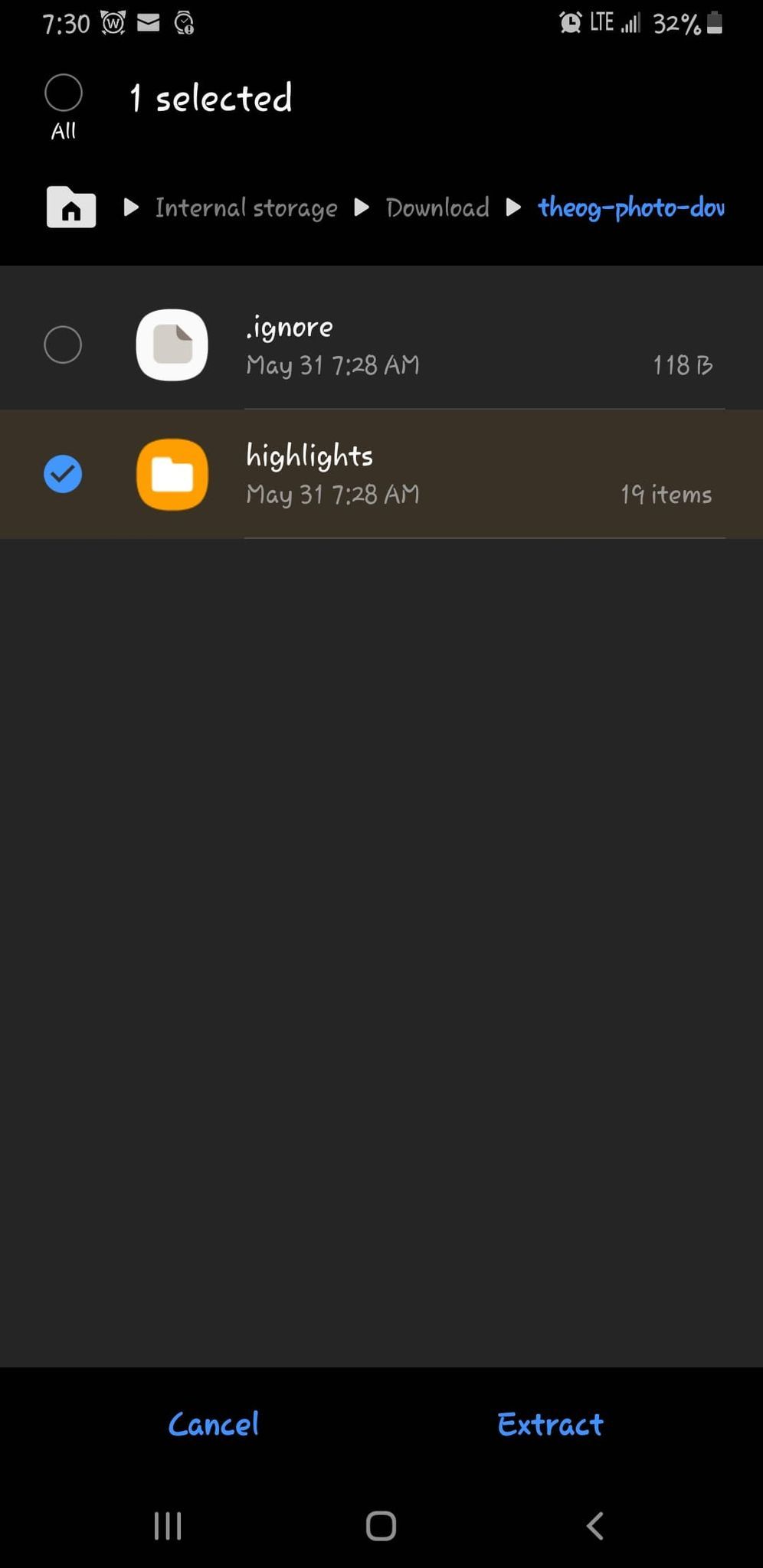
8.Every device is different in how they download your photos. For an Android phone, shown here, you will click on "highlights" and then "extract." The files will unzip and load to your gallery on your phone. Sometimes they upload by date, so if you do not see them at the top of your gallery, try checking the date or month they would've been taken.